Closing the SOTA ↔ Open-Source Gap - Image (Part 1)
Chronological walk-through of how we moved away from Nano Banana Pro → Flux Klein and Seedance 2.0 → LTX 2.3 for specific pipelines
Where this fits
Dashreels is our content-consumption platform, supported by Frameo, our content-creation platform at scale. There are three buckets of content we create:
Originals
New stories, created from scratch.
Remix / Adaptation
An existing story relocalised to a new language and geography. Different cast, different dialogues, same narrative DNA.
Dubbing
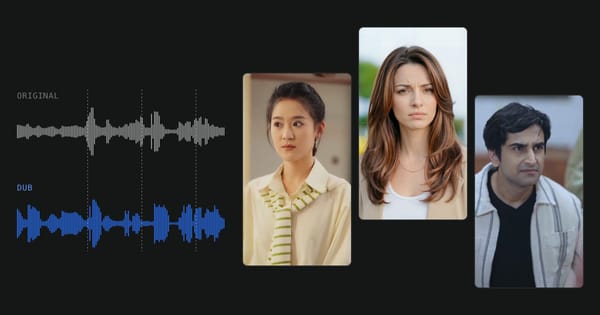
Visuals untouched, only the audio swapped.
The three buckets sit at very different points on the automation curve. Originals are still deeply hands-on - artists are in the loop creating assets throughout. Remix produces an automated first version that artists then iterate on and fix. Dubbing is the most automated: the first output and the iterative rephrasing both happen automatically, with humans only reviewing at the end.
| Category | How the first cut is made | Human role | Automation |
|---|---|---|---|
| Originals | Built asset-by-asset with heavy artistic direction | Artists in the loop throughout creation | |
| Remix | First version generated automatically end-to-end | Artists iterate & fix after the first pass | |
| Dubbing | First output + iterative rephrase, both automatic | Humans review only at the end |
Bars are indicative of how much of the first deliverable lands without human touch - not a hard metric.
// Frameo · north-starWith our Frameo platform, we aim to bring 100% automation across all 3 categories - enabling Creators & Artists to create 1000s of shows every day.
Pipeline 1 - Image: Distilling Nano Banana Pro
This post is about the middle bucket. Remix is the one with the heavy visual lift: the characters have to change, which means every frame they appear in has to change with them.
Defining the problem
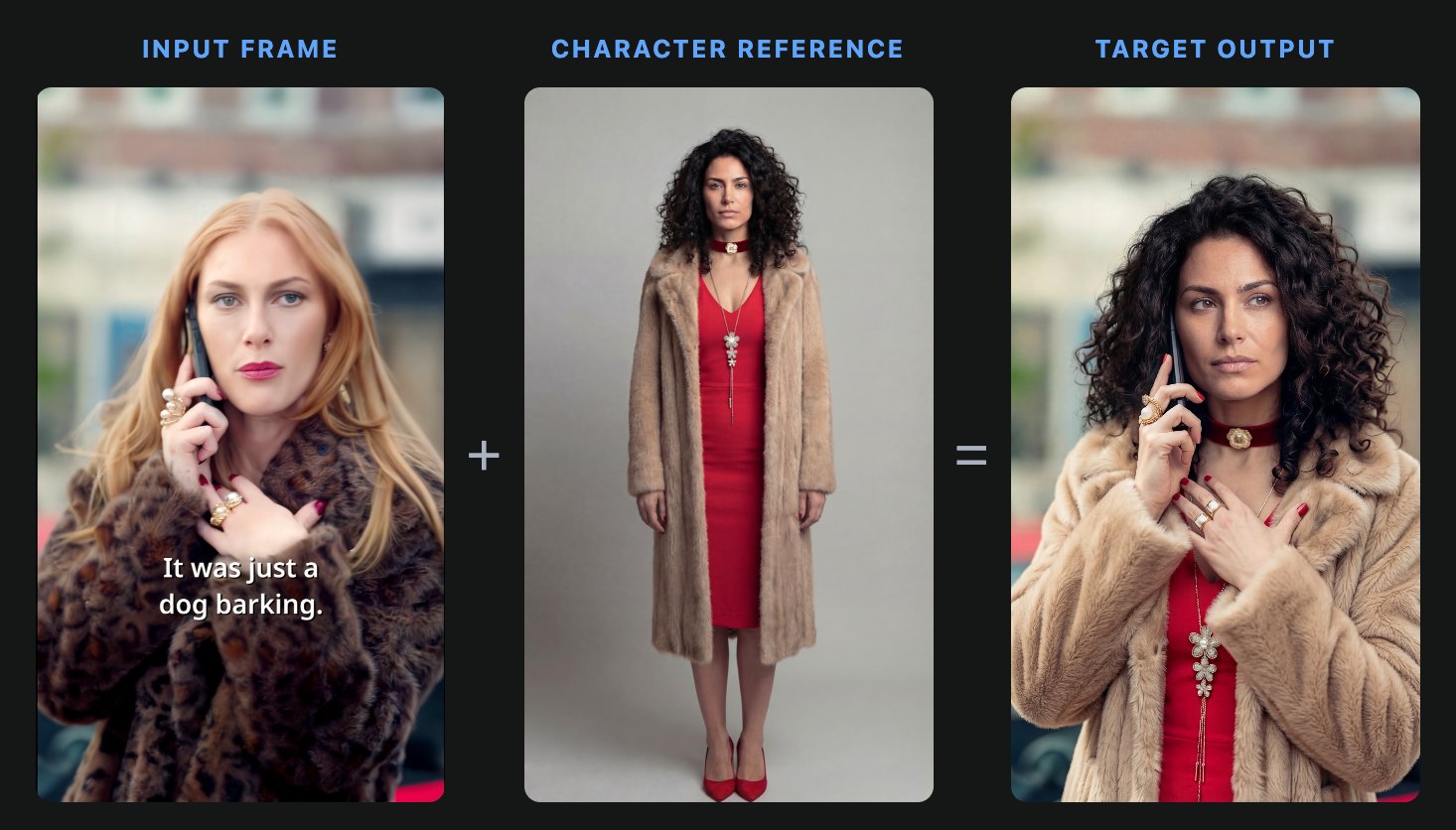
Stated precisely: given an input frame and a character reference, replace the person in the frame with that character. Everything that makes the shot that shot - pose, framing, the phone held to the ear, lighting, and street background - has to survive. Only the identity and wardrobe change.
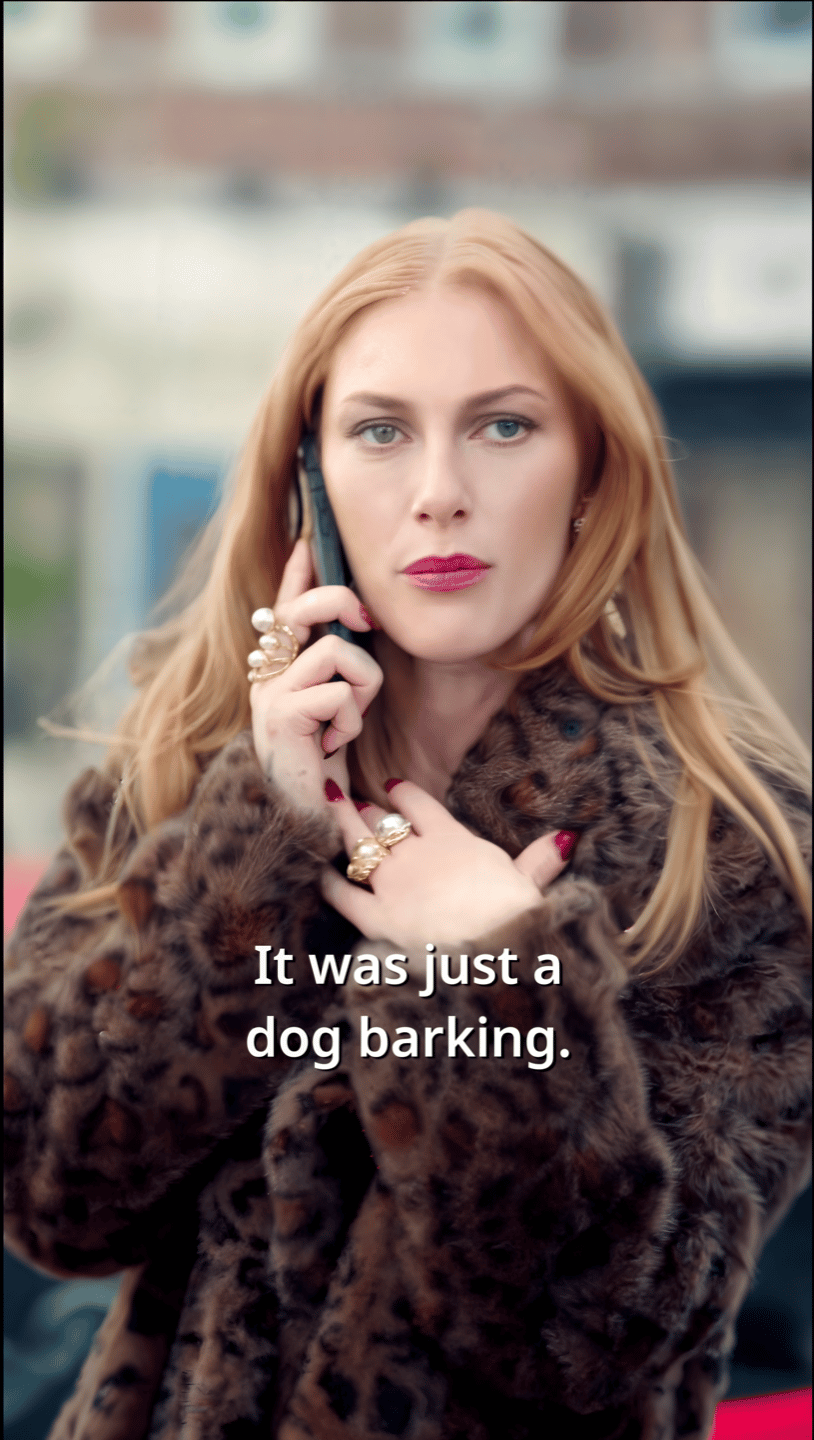
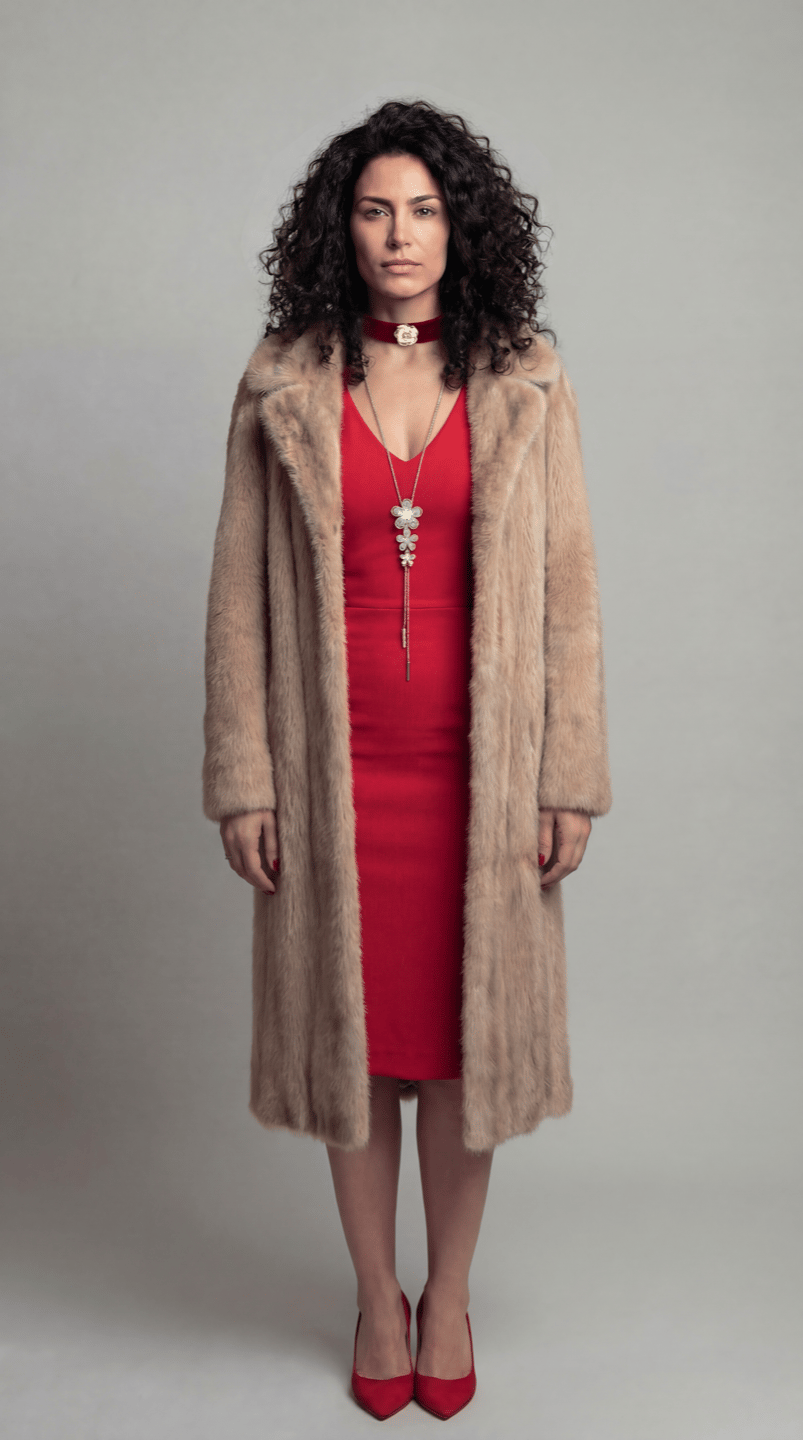
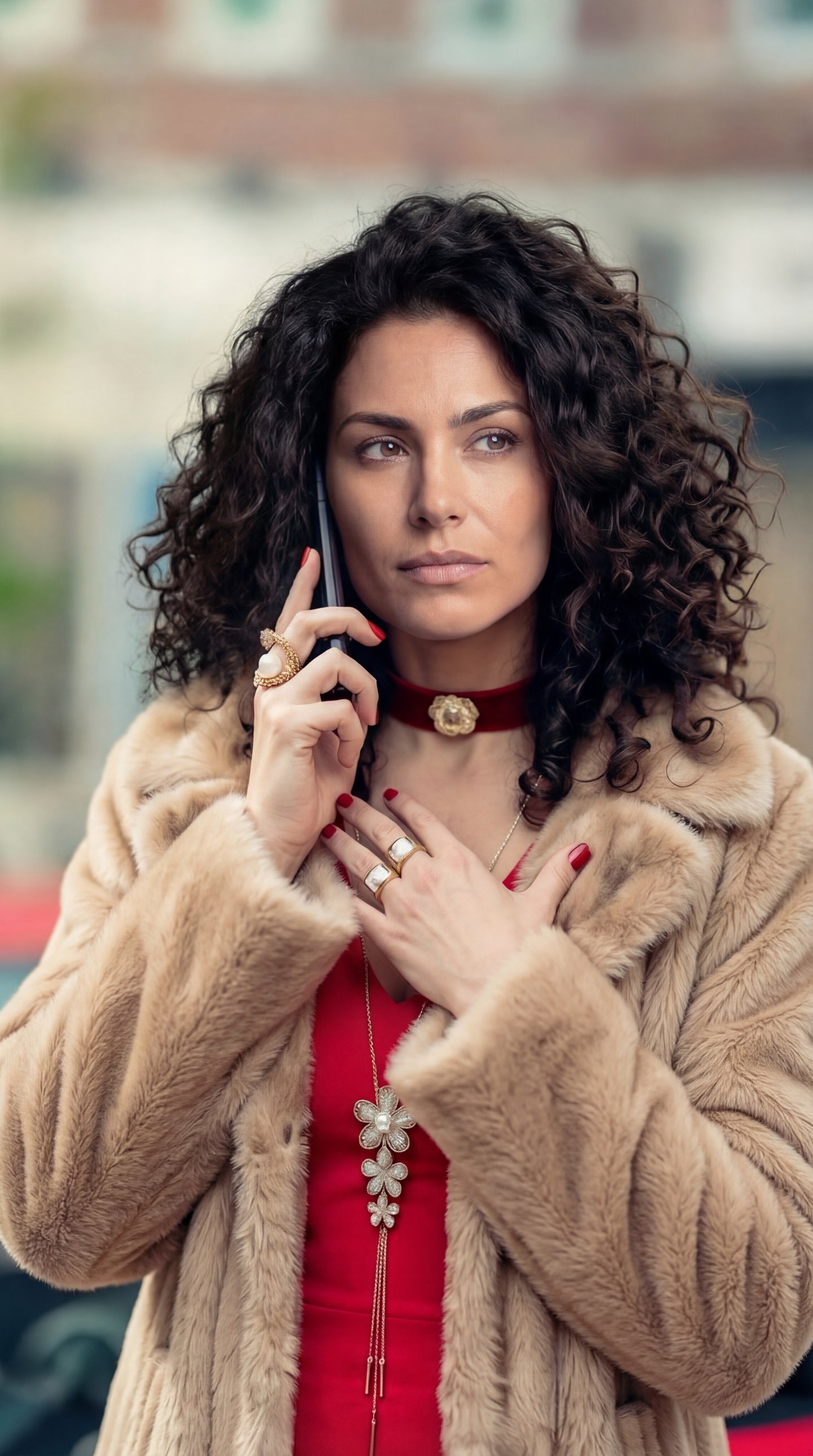
The base shape of the pipeline has stayed constant. We take the source video, slice it into clips short enough for the video model in play (≤15s, usually ≤8s), swap characters on the keyframes, and use image-to-video to rebuild motion.
The journey
Nano Banana Pro, direct
The naïve setup: hand NB Pro the source frame and the character reference, and prompt it to do the swap in one shot. Identity and hair transferred reasonably well - but the wardrobe leaked. The character came out wearing the original's clothes instead of her own. We call this dress bleed.
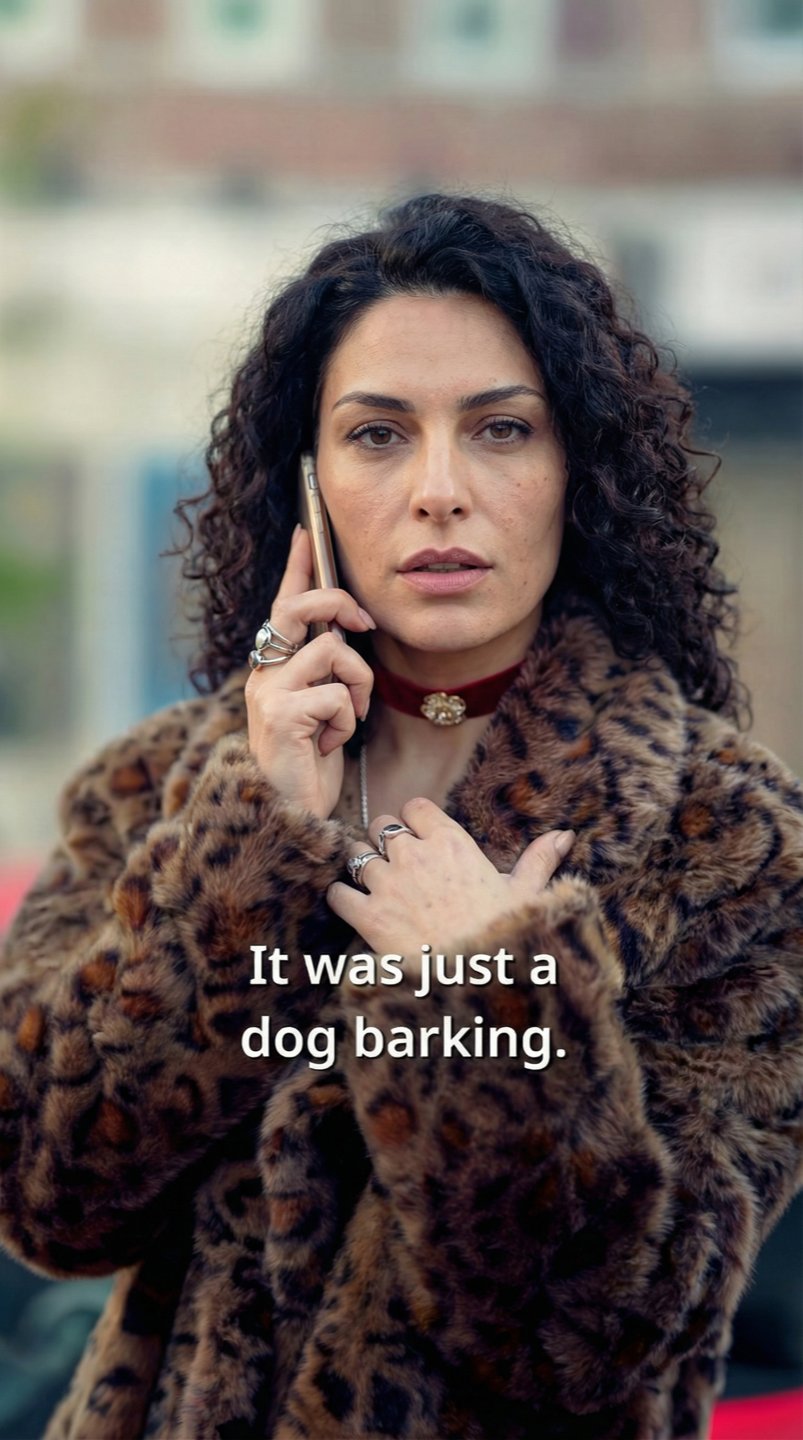
Two-phase swap via line-art
To kill the dress bleed from v0, we broke the swap in two. Phase 1 converts the source frame into an anatomical line-art intermediate - pose and composition preserved, all appearance information (face, hair, wardrobe) stripped. Phase 2 then dresses the sketch with the new character. With no original clothing or face for Phase 2 to copy from, the bleed went away.
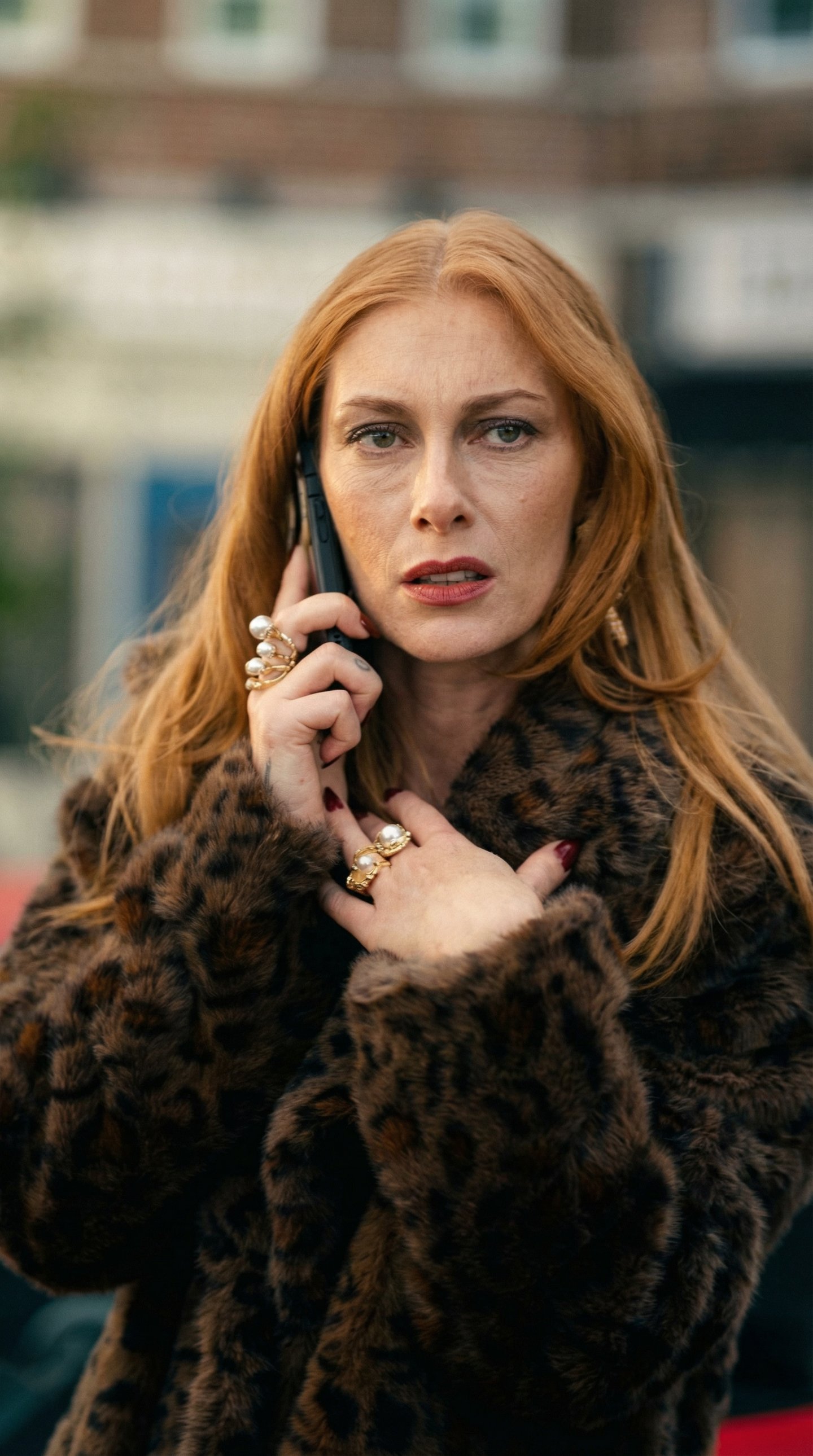
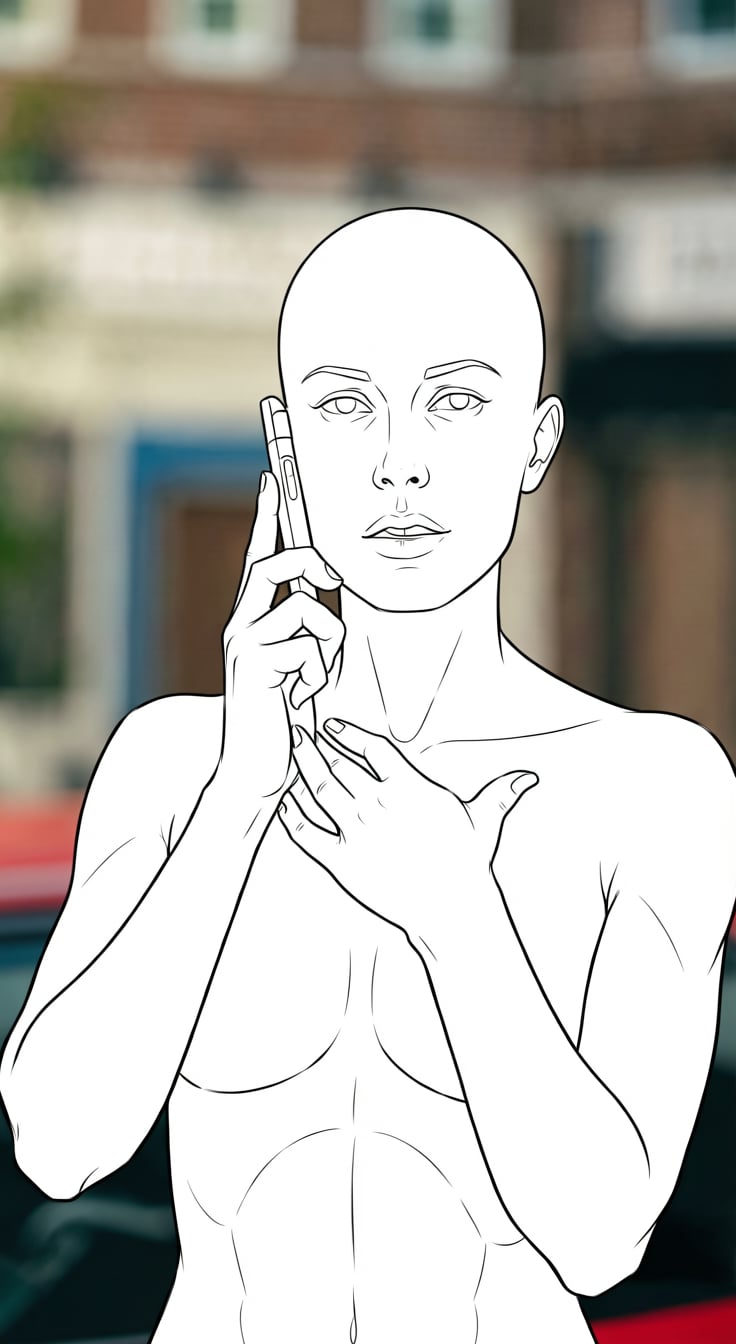
But the intermediate had its own instability. The same prompt produced wildly different kinds of line-art from frame to frame - some came back as a full skeleton with ribcage and pelvis, others as a plain outline, others with detailed muscle anatomy. That inconsistency forced iterations here too: we couldn't trust Phase 1 to hand Phase 2 a predictable input.
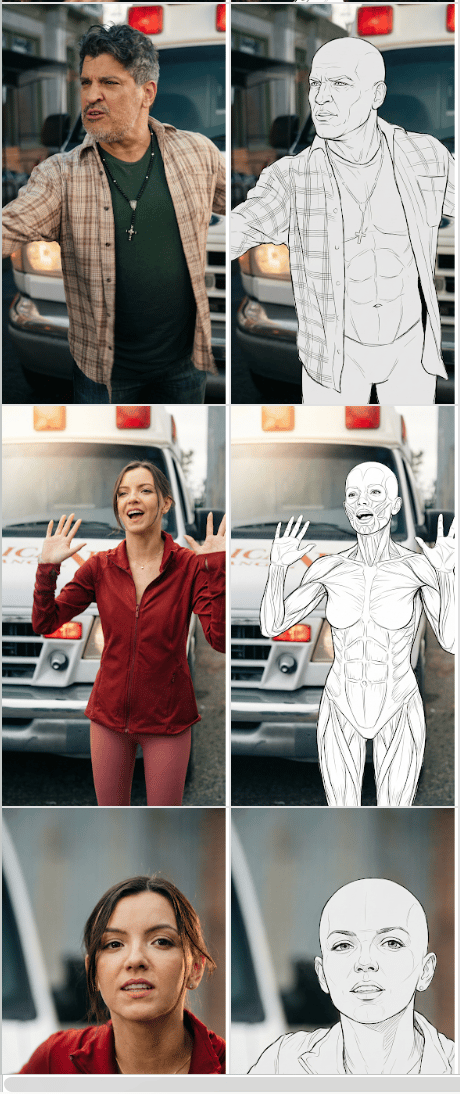
Quality was acceptable but the pipeline was now two model calls per keyframe, and Phase 1's quality varied - NB Pro sometimes bled clothing patterns through into the sketch.
The data flywheel, and a Flux Klein LoRA
Here's the part that's easy to miss: we already had the training data. Frameo's normal workflow is a data flywheel - it's implicit in how the platform works. Artists iterate on shots, reviewers comment, and the good ones get picked. Every approved frame is, quietly, a labelled training example.
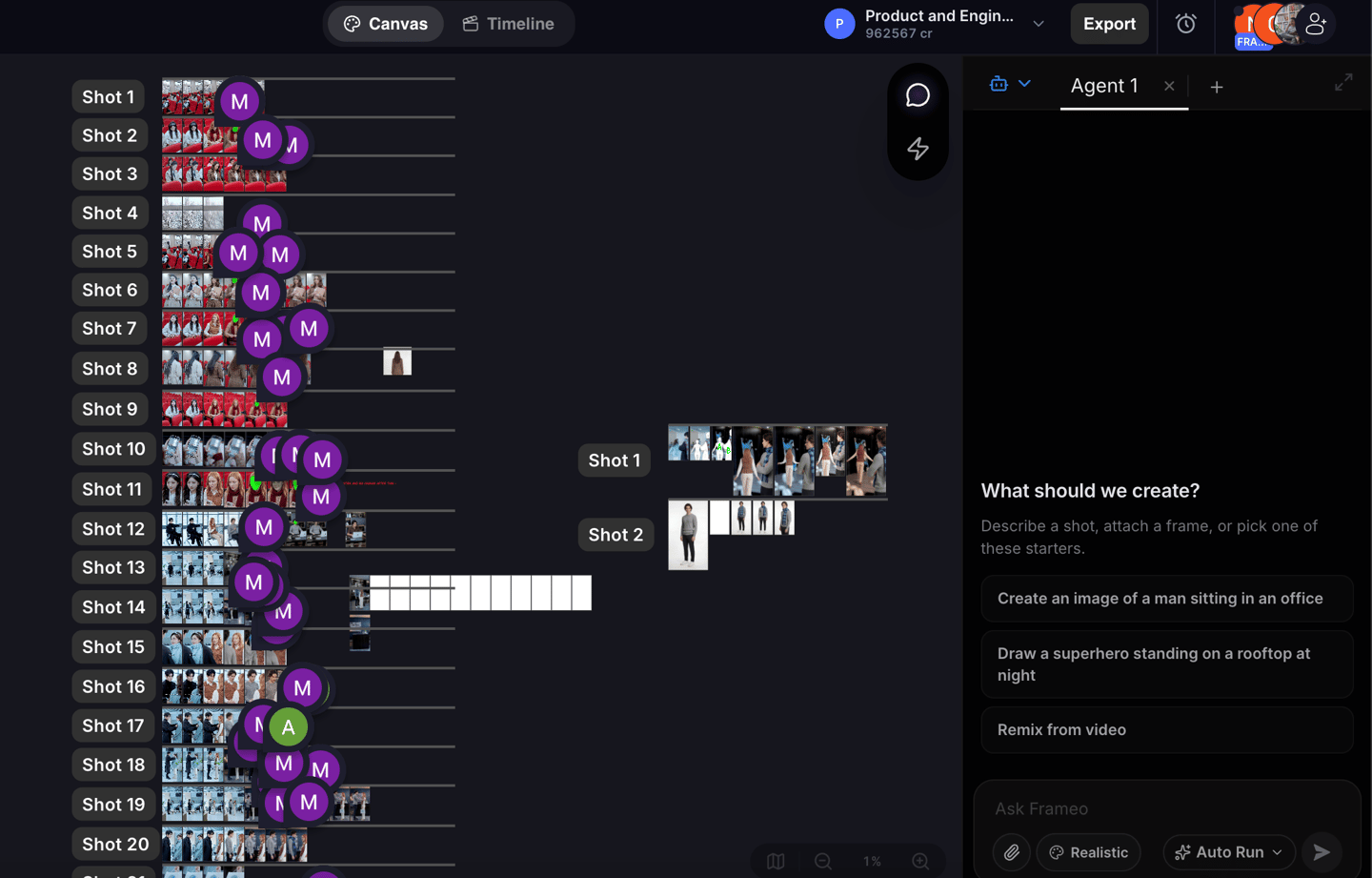
And the volume is real. A single 1-hour show yields 1,500–2,000 images. In about a week of normal production we accumulate the ~10K input/intermediate pairs a LoRA needs - with zero separate labelling effort.
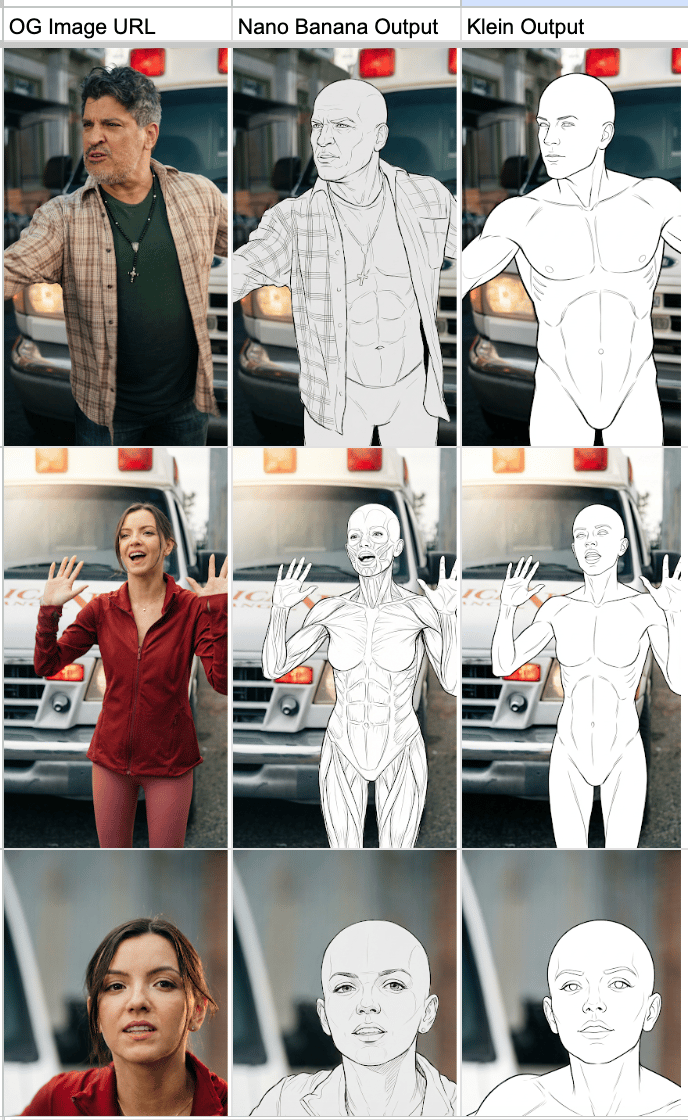
We trained a Flux Klein LoRA on those pairs, and the v1 instability disappeared: the skeleton became consistent. Same prompt, same clean line-art, every time. Where stock Klein had been worse than NB Pro and NB Pro itself wandered, Klein-on-our-pairs was clean and deterministic.
One step, up to three characters
With Phase 1 solved, we collapsed the two-phase pipeline into a single step. Instead of frame → line-art → transfer, the LoRA now takes the input frame plus the character references and produces the swapped frame directly - no intermediate, one model call.
We also extended it to multiple characters. Klein caps inputs at four images, so with the input frame taking one slot we can swap up to three characters at once, each from its own reference, in a single pass.
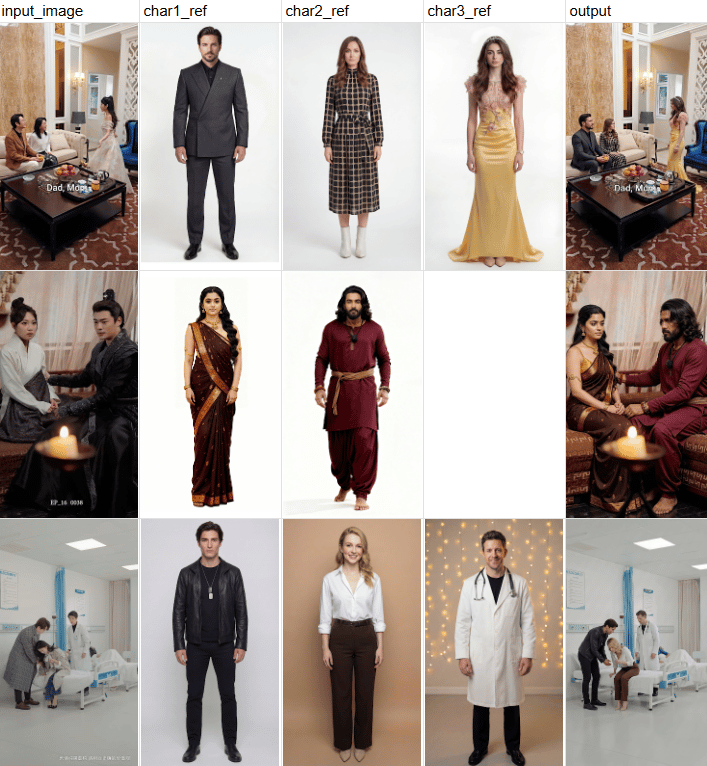
Composition, clothing, and lighting held up against NB Pro. One gap remained.
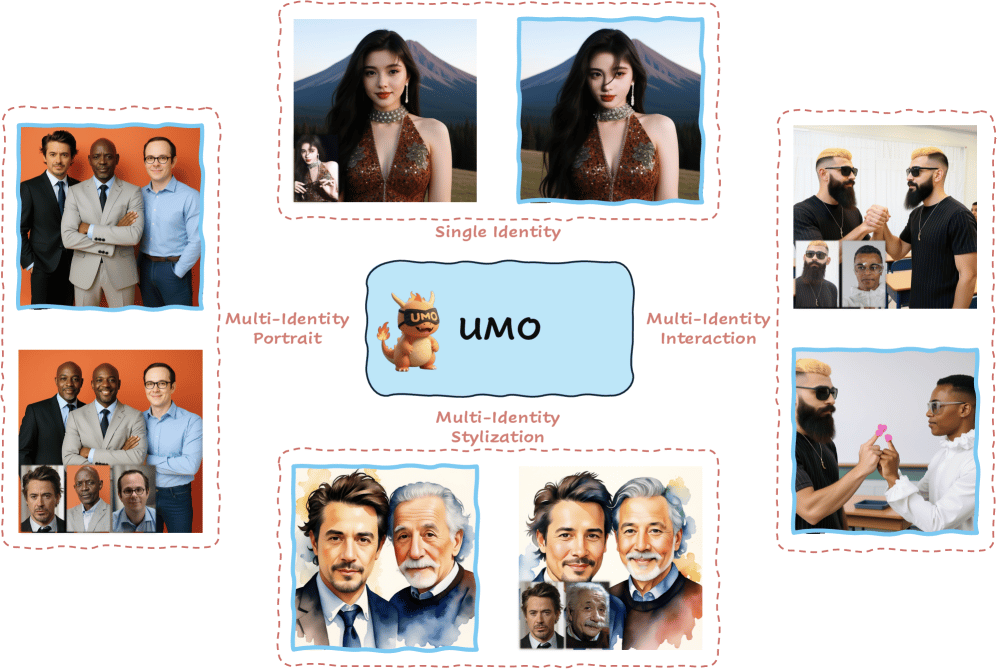
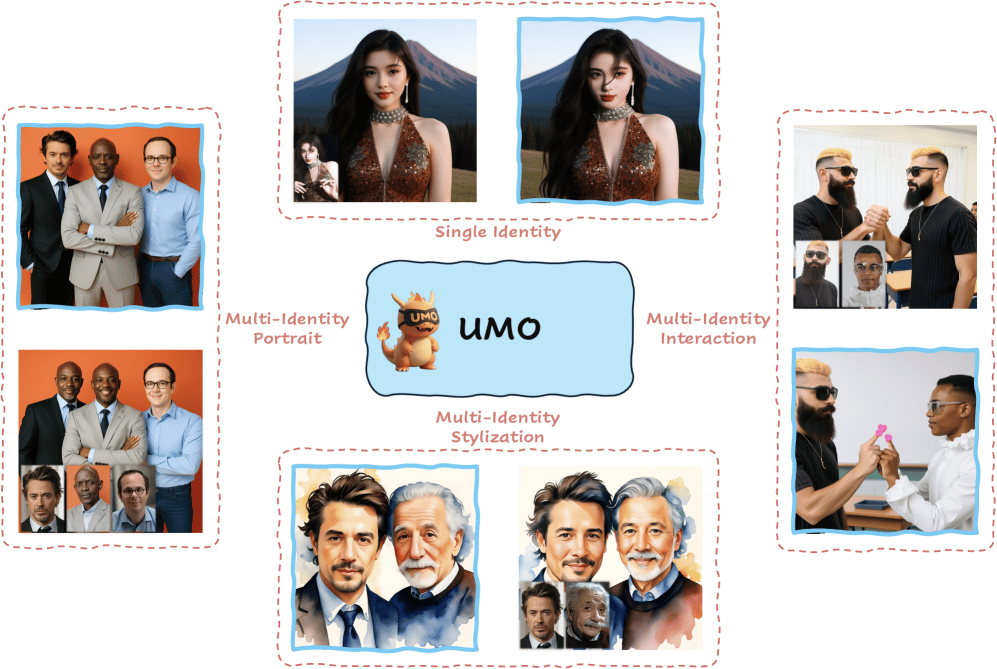
Stacking a UMO identity LoRA on top
Klein is excellent at the structural half of the job - translating pose, body, and location faithfully. But on raw character resemblance it trails Nano Banana, and by this point Nano Banana 2 had shipped, raising the bar again. The output looked like the right kind of person, not unmistakably that person - and for a remix product, the cast has to be recognisable.
Rather than start from scratch, we piggy-backed on earlier in-house work on UMO LoRA training. We trained a Flux Klein-based UMO LoRA on 1.8M images, and at inference stacked both LoRAs - the swap LoRA for structure, UMO for identity. Resemblance closed the gap with Nano Banana, and beat it in several categories.
A note on data
If one thing made this work, it's data - and the two LoRAs lean on it in opposite ways.
The Flux Klein swap LoRA was trained on roughly 10K image pairs from the flywheel. That's a rounding error next to the billions of images behind a model like Nano Banana Pro - and on this task it still wins. That's the quality argument: 10K perfectly-paired, human-reviewed, in-distribution examples carry more signal for a narrow job than billions of generic ones ever could.
UMO sits at the other end. Character resemblance isn't a narrow, structured task - it's open-ended, so it needs scale. There we trained on 1.8M images. That's the quantity argument: when the task is broad, volume wins. The flywheel is what lets us have it both ways.
Where this goes next - Part 2: video
With the image pipeline effectively solved, we're now moving away from image-based pipelines and onto video-based ones directly.
Part 2 is where we take the same three ideas - the data flywheel that's implicit in how artists already work, the distillation playbook that beat a SOTA model with a focused LoRA, and the instinct to delete every intermediate we can - and carry them from stills into motion. We'll show where they transfer cleanly, and where video breaks them in ways images never did.